Keep Excel. Lose the copy and paste.
Run pre-deigned FastClose reports live inside Excel, formatted as they were designed. Change the filters, refresh the whole pack in one click, and build an ad-hoc model on top — on numbers that came straight from the ERP.
Live ERP data · Governed report definitions · Your existing workbooks
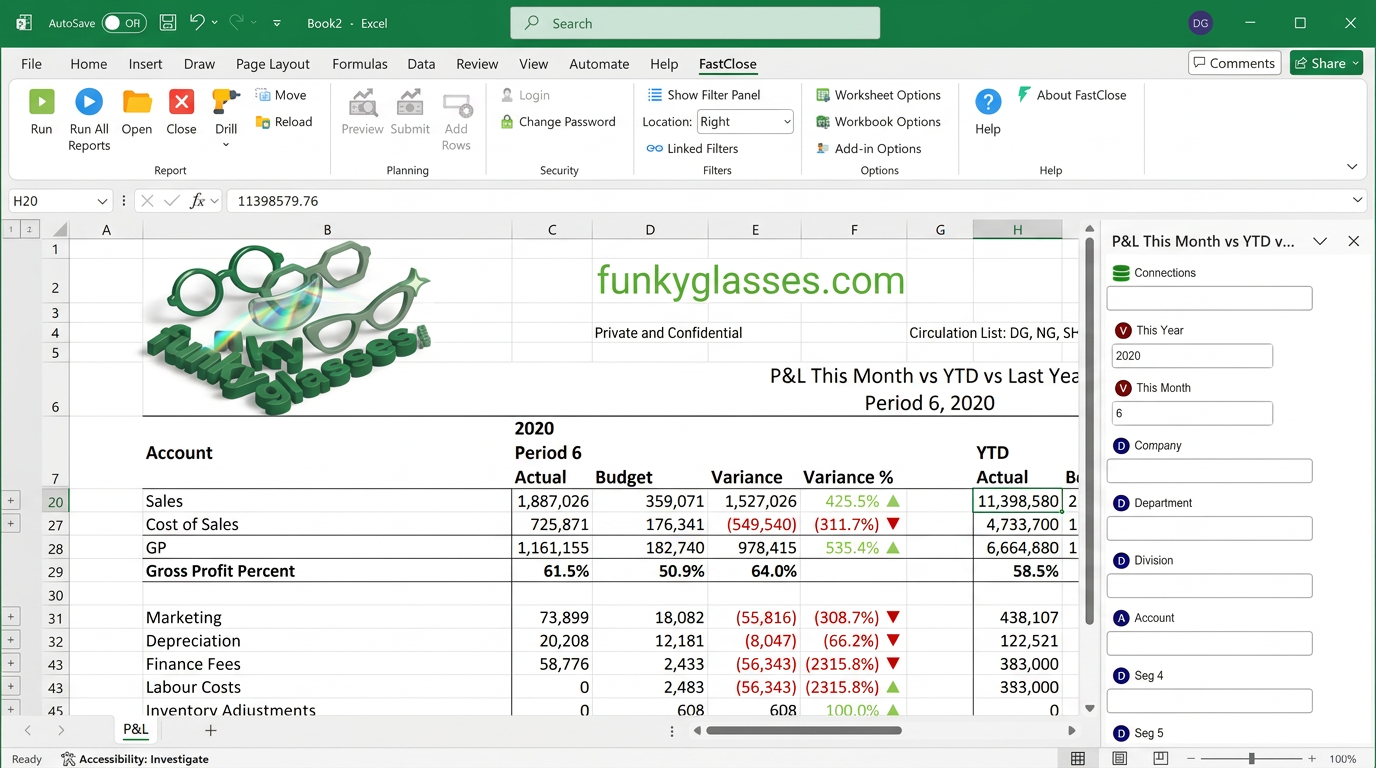
Finance isn't going to leave Excel. The problem was never Excel.
The problem is where the numbers in it came from: an export, pasted in, aged by a week, adjusted by hand. Put a controlled live report in the same cells and the modelling everyone actually needs becomes safe and oh so powerful again.
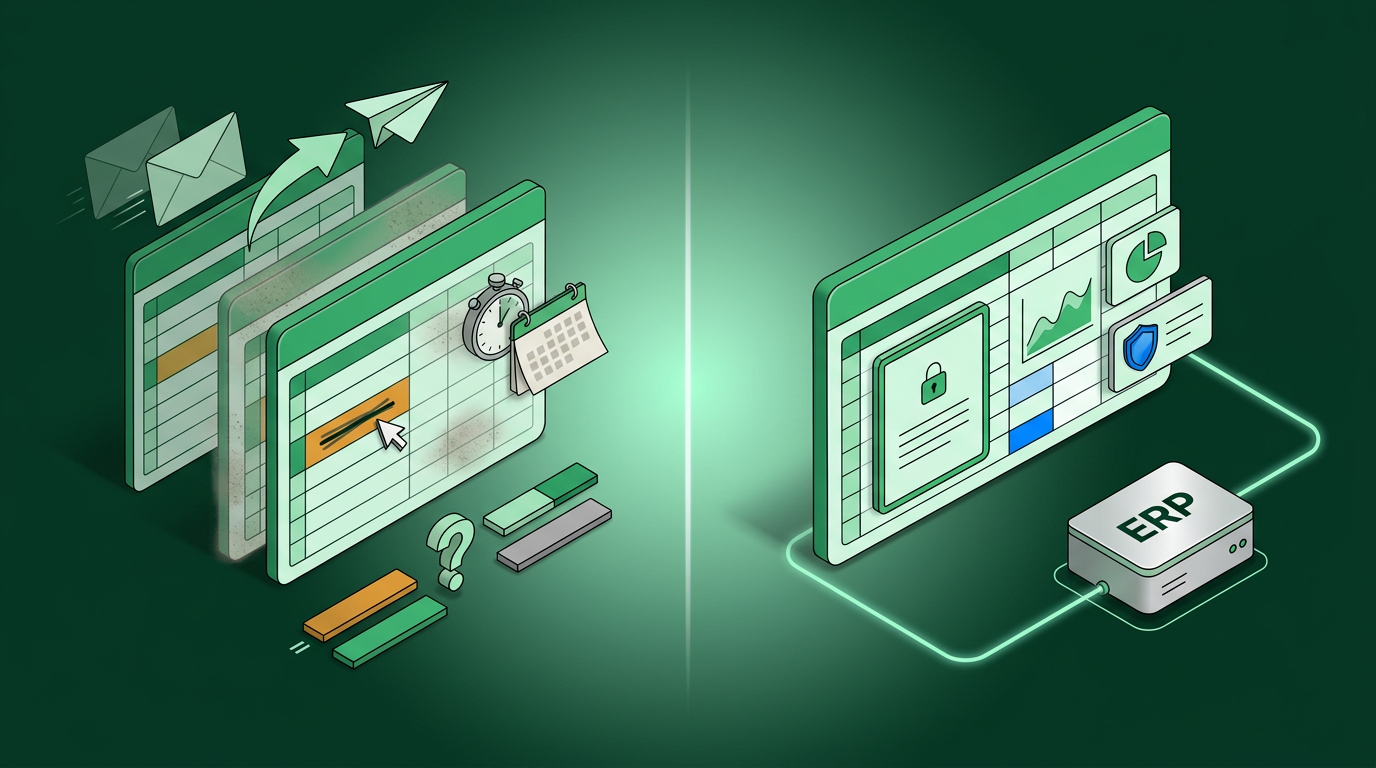
The report logic is owned in Designer. What you do next to it in the sheet is entirely yours.
Data arrives in the cells by running the report, so there is no export step to forget or repeat.
Excel and Read & Navigate read the same report through the same engine, so a meeting doesn't end up splitting into two versions of the truth.
A workbook shows each user only their permitted companies, cost centres and sites — the same rules as everywhere else.
A board pack that refreshes in one click.
This is the part that changes the month end for most customers.
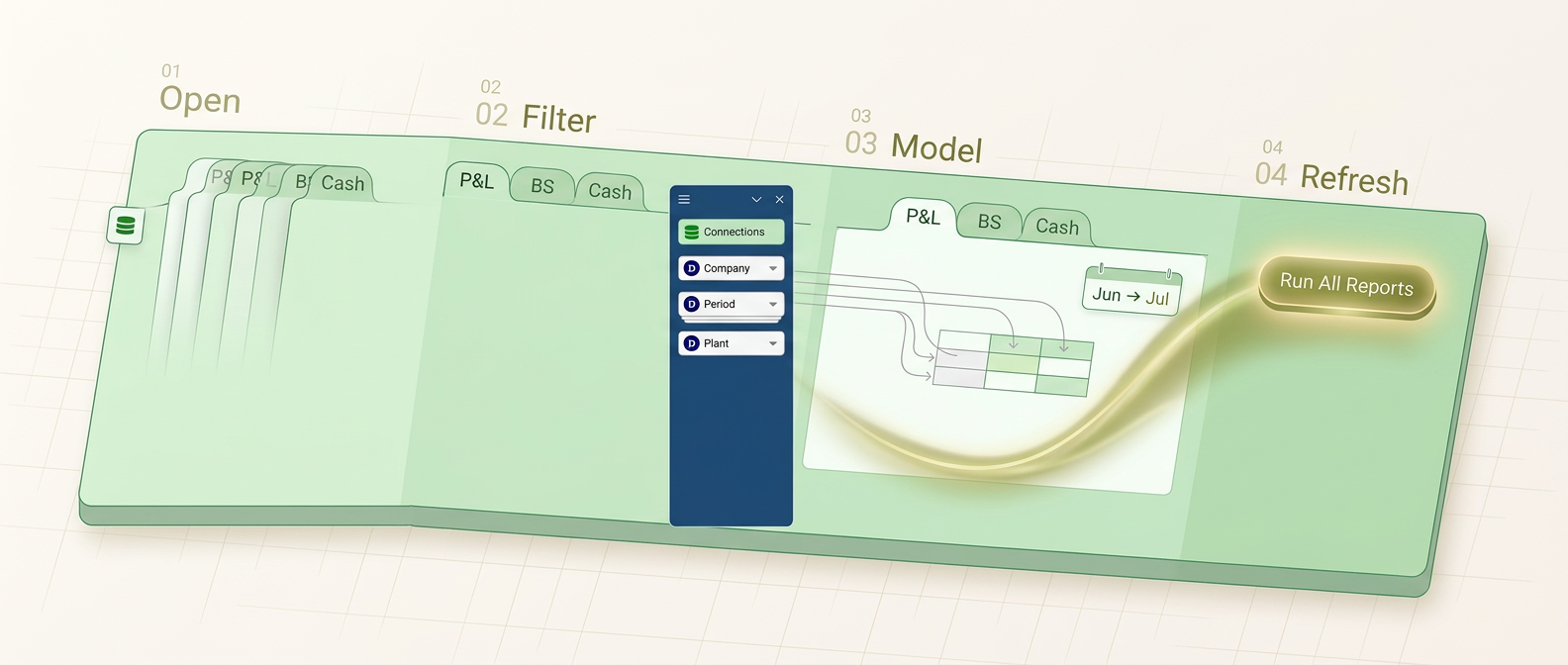
Drop reports into sheets
Open any published FastClose report in Excel, formatted as it was designed. Put several in one workbook — a sheet per report.
Change the view on the fly
Switch company, year, period, cost centre or site and pull the data live. Last year's pack becomes this year's by changing a filter.
Build on top of it
Reference the retrieved cells from your own sheets to answer "what if" — price rises, volume changes, headcount — with normal Excel formulas.
Update the whole pack at once
Set the year and month, then one click re-runs every report in the workbook against live data — and your model recalculates with it. Next month is a refresh, not a rebuild.


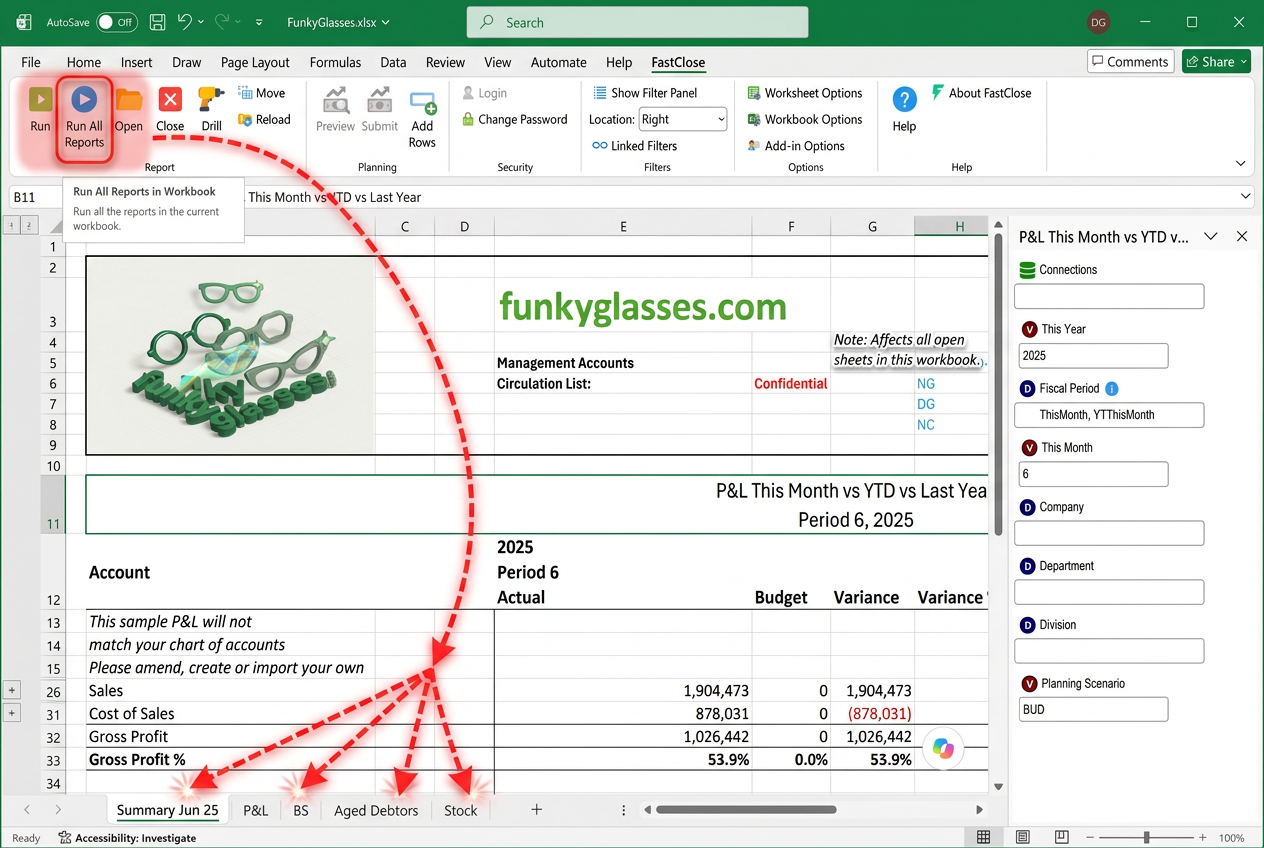
The same workbook, a different month-end.
Nothing about how finance works has to change. What changes is where the numbers come from.
Drill to the transaction, without leaving the cell.
A figure in the workbook isn't a dead end. Right-click it and drill straight to the journal or invoice behind it, in the same way you would in the browser reader — without exporting anything or leaving Excel.

?Common questions about the Excel Add-in
Is the data live, or is it an export?
Live. Running a report in Excel queries the ERP through FastClose Core at that moment — there is no extract, and no copy of the data sitting between you and the ledger.
Can I put several reports in one workbook?
Yes — that's the normal pattern. Assemble a board pack or model from multiple FastClose reports across sheets, then refresh all of them with live data in a single click.
Can I still write my own formulas?
Yes. It is ordinary Excel — reference the retrieved cells and build whatever model you need on top, including what-if scenarios that recalculate when the pack refreshes.
Who decides which filters I can change?
The report author, in Designer. They expose the filters that make sense for a report, and dimension security limits what any given user can see through them.
Do I need Designer as well?
No. Most Excel users only consume reports that a power user has published. Designer is for the few who build them.
Can I drill to a transaction from inside Excel?
Yes. Any drill the report author defined in Designer — to a journal, invoice or related report — works on the same figure in the Excel Add-in, without exporting anything.
Does it keep the formatting from the report?
Yes. Reports arrive formatted as they were designed in Designer, so a pack looks right without being restyled every month.
Bring your board pack to the call.
We'll show what a one-click refresh does to it.